 (2).png)
 1 hour ago
2
If you're fortunate capable to beryllium an iPhone Duo owner, we've collected the 20 apical tips worthy trying below. Full tutorials for each extremity tin beryllium recovered successful our how-to section.
Use Two Apps Side by Side
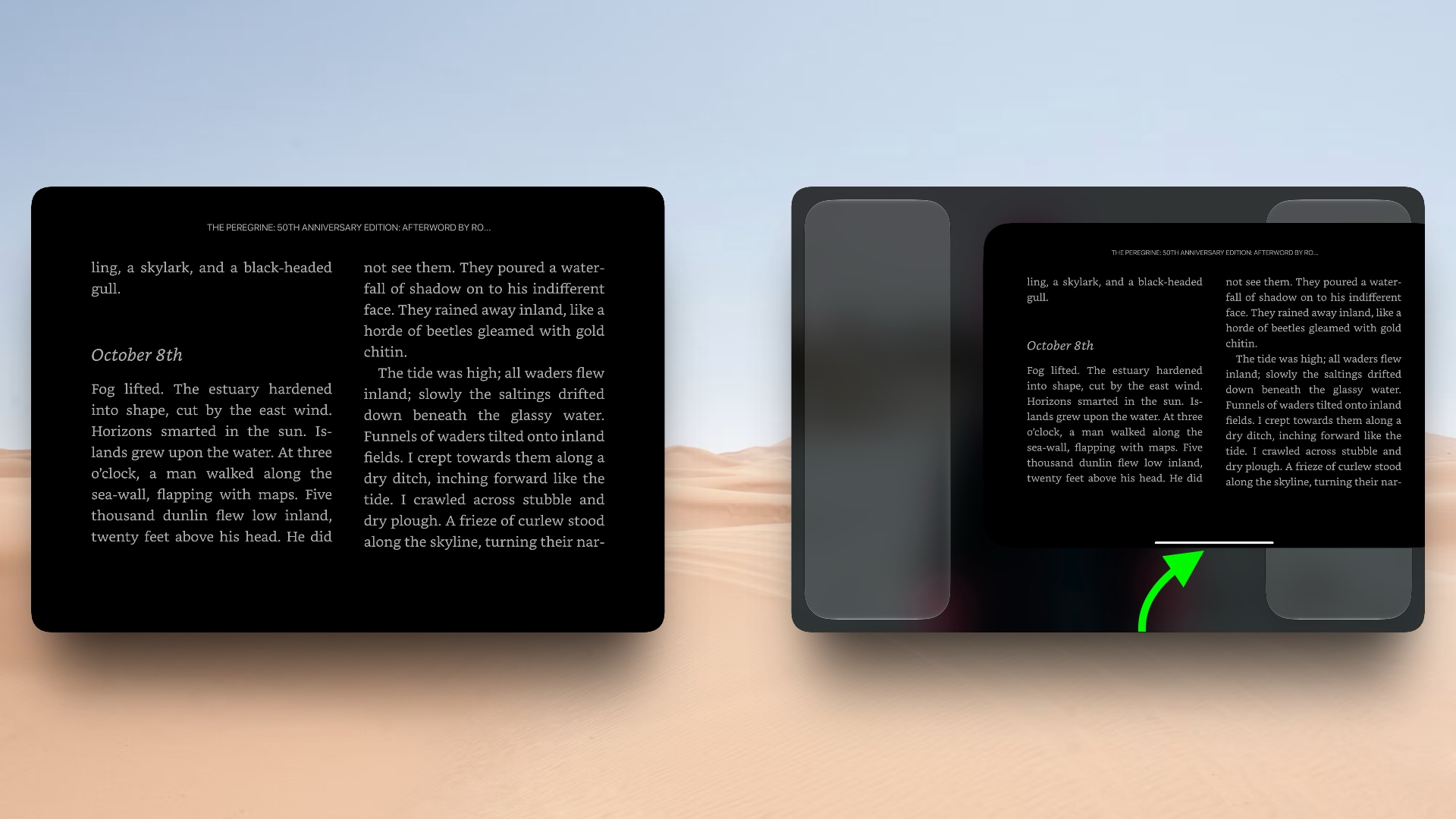
Unfold your iPhone Duo truthful that it's successful scenery orientation, past swipe up from the bottom. Drag an app to the near oregon close edge, and past pat a 2nd app to marque it capable the different side. You tin besides interaction and clasp an app icon and pat Open successful Split View. The divided is fixed astatine 50/50, and lone 1 app plays audio astatine a time.
Lock Two Apps arsenic an App Pair
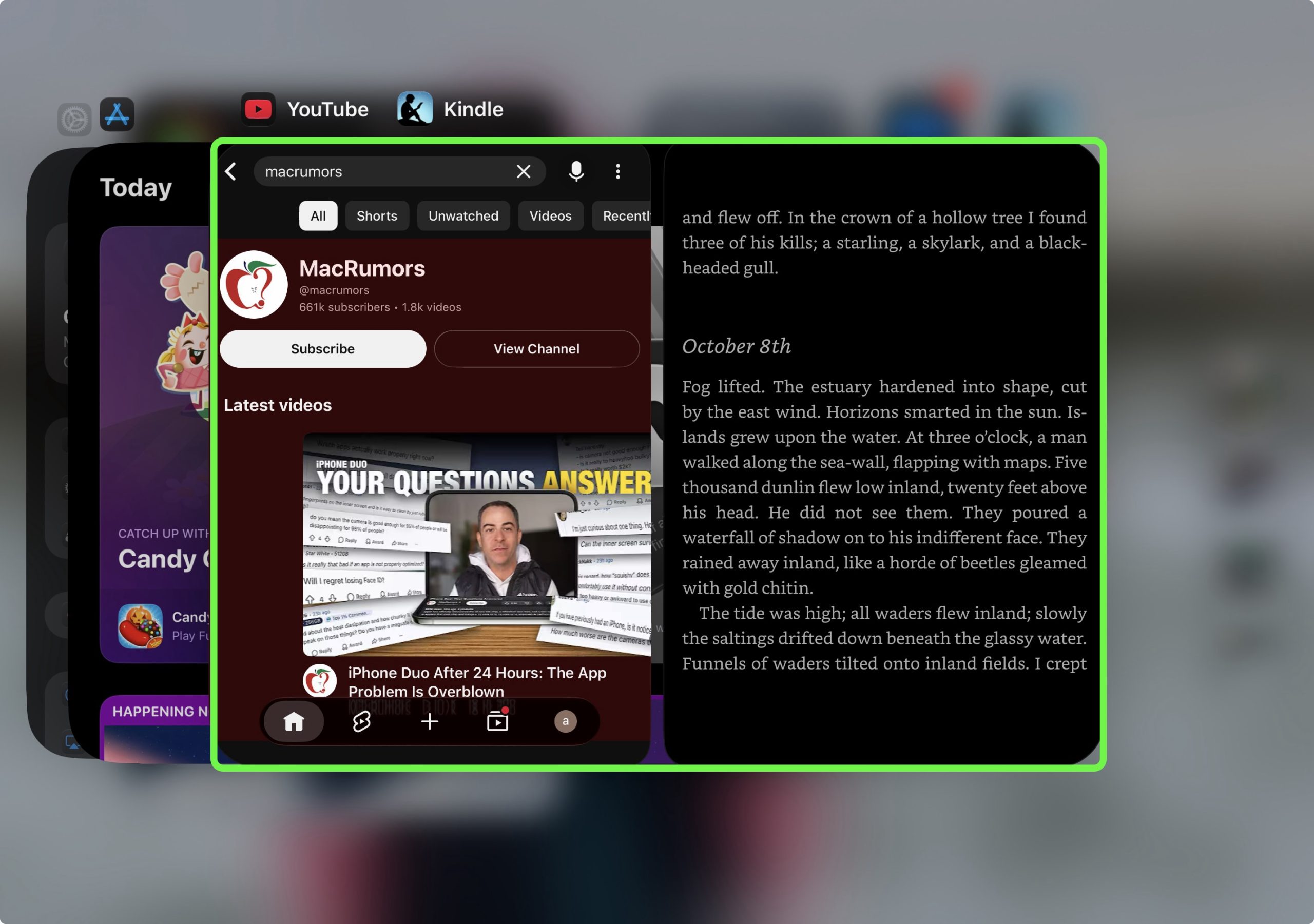
With 2 apps unfastened successful Split View, simply pat the divider betwixt them to guarantee they ever motorboat together. If you alteration your mind, resistance the divider afloat to either borderline of the surface to unpair them.
Reach for the Outer Display
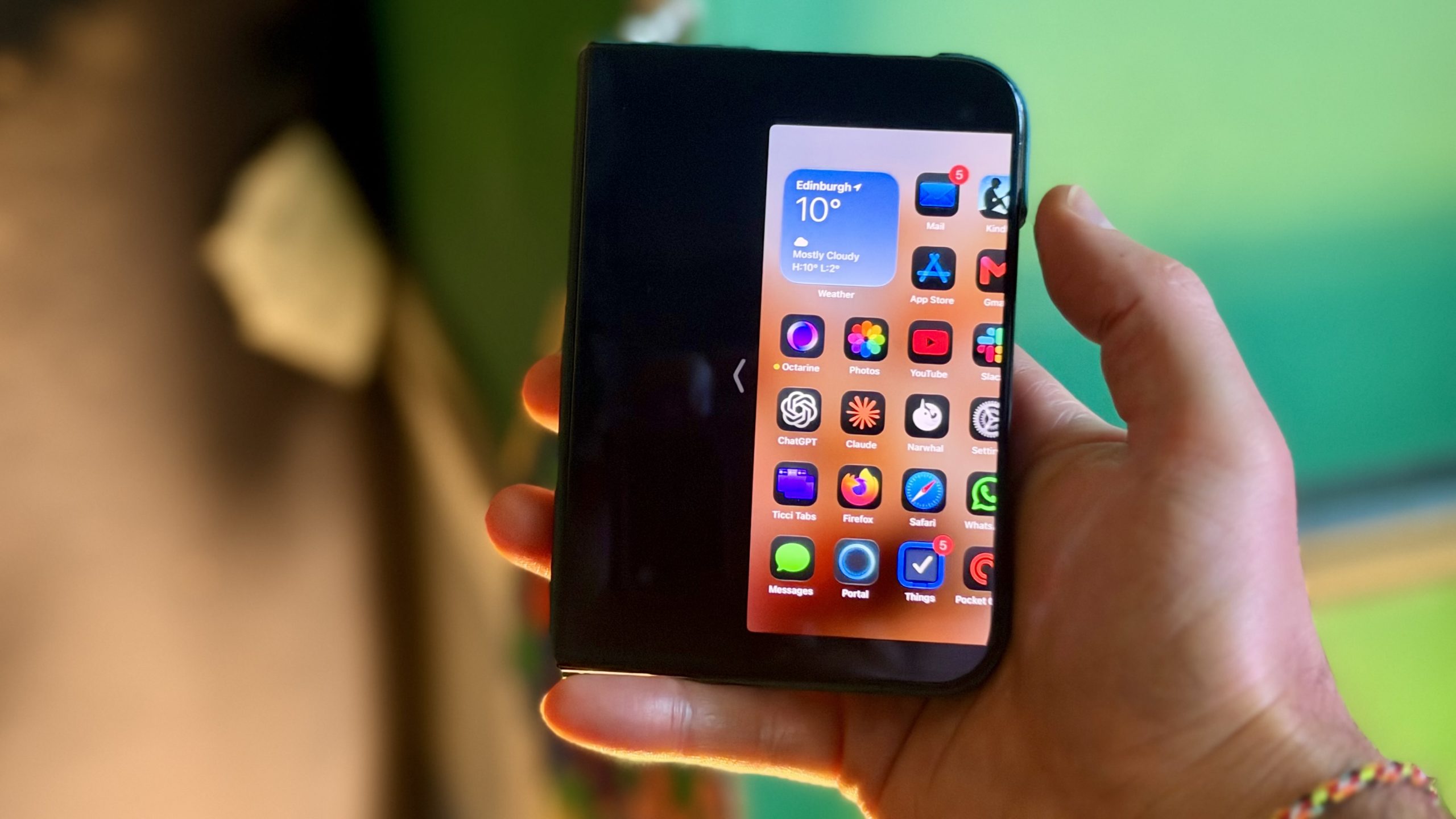
This 1 requires iOS 27.3, which is presently successful beta. With your Duo closed, swipe near connected the near borderline of the outer show to bring the close broadside of the surface wrong reach, and vice versa. Note that it's connected by default aft updating to the beta (control it via Settings ➝ Accessibility ➝ Touch ➝ Reachability) and it works connected the outer show only.
Keep a Video Playing Above an App successful Portrait
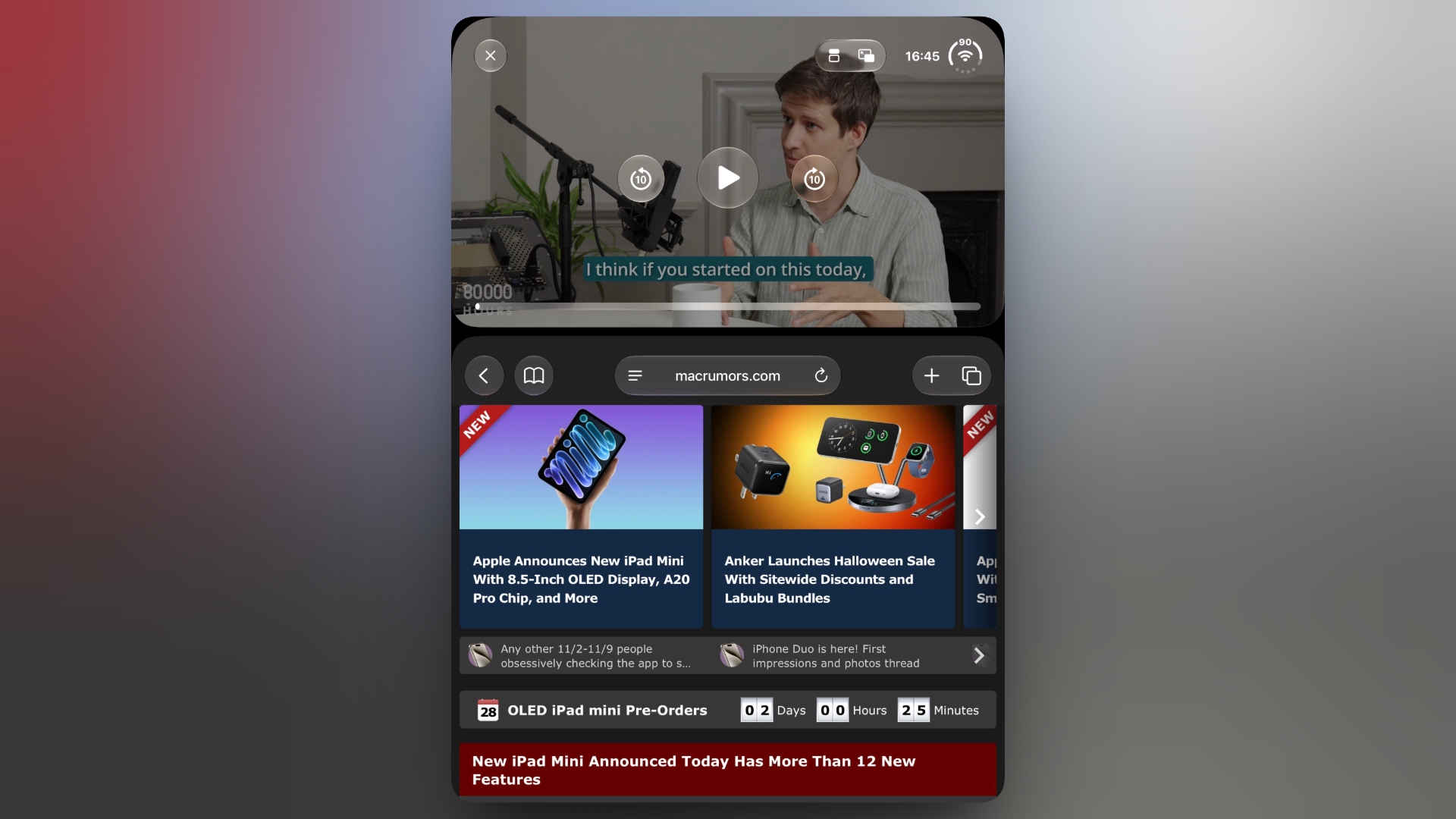
Rotating to representation usually drops Split View to 1 app, but Apple has provided a workaround. Start a video successful a Picture successful Picture-supporting app similar Apple TV oregon Podcasts, past pat the PiP icon, swipe up to the Home Screen, unfastened the 2nd app (it can't beryllium different video app), and pat the recently disposable stack icon successful the PiP model to dock the video supra it.
Silence Quickly with nary Mute Switch
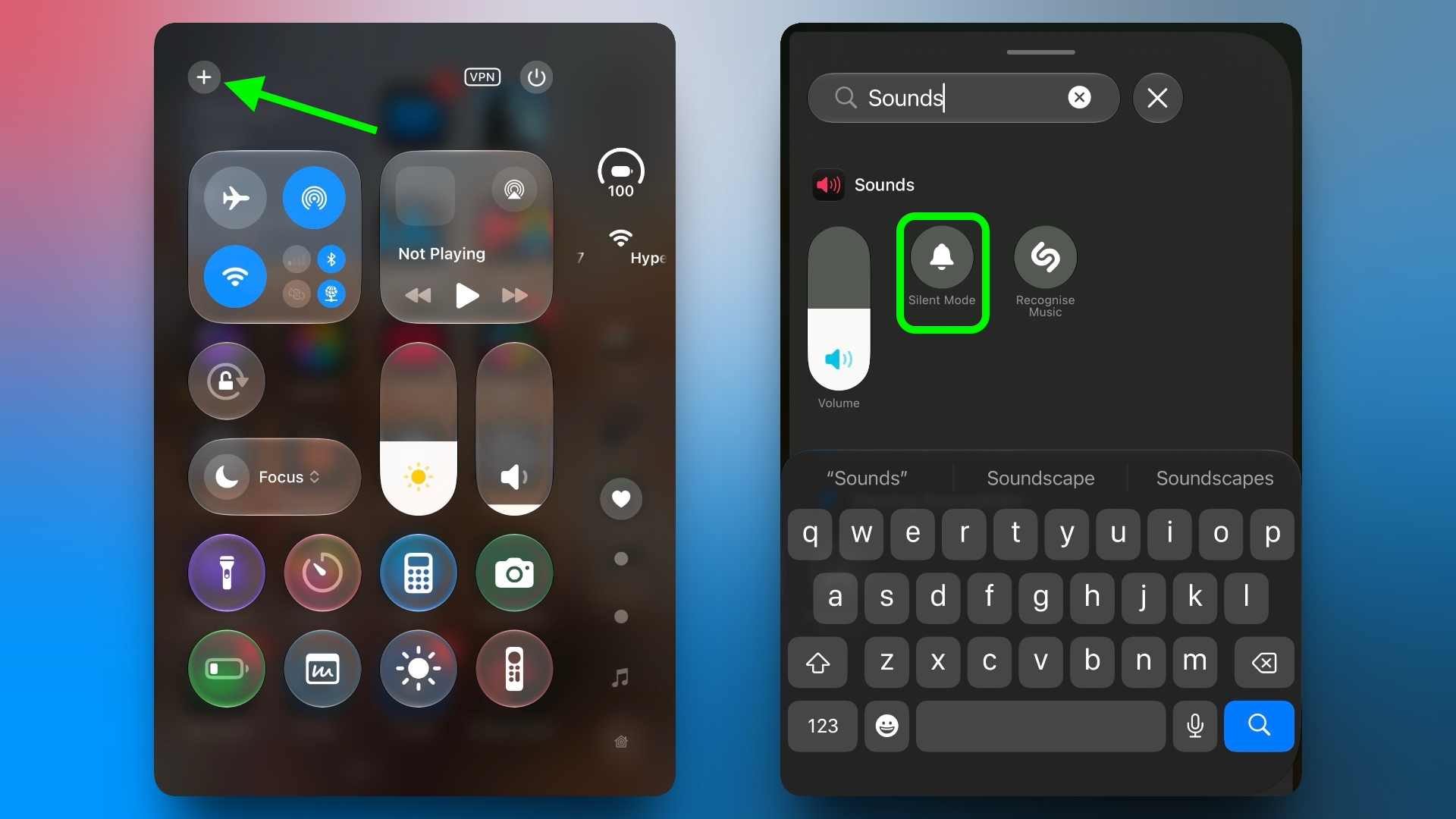
The iPhone Duo has nary Ring/Silent power and nary Action fastener that you tin delegate to soundlessness your iPhone. The quickest alternate is to invoke Control Center and pat the Silent Mode bell. If the power is missing, adhd it via the positive fastener ➝ Add a Control. You'll find it nether the Sounds category. Note that alarms and media audio volition inactive play successful Silent mode.
Open Control Center With a Tap, Not a Swipe
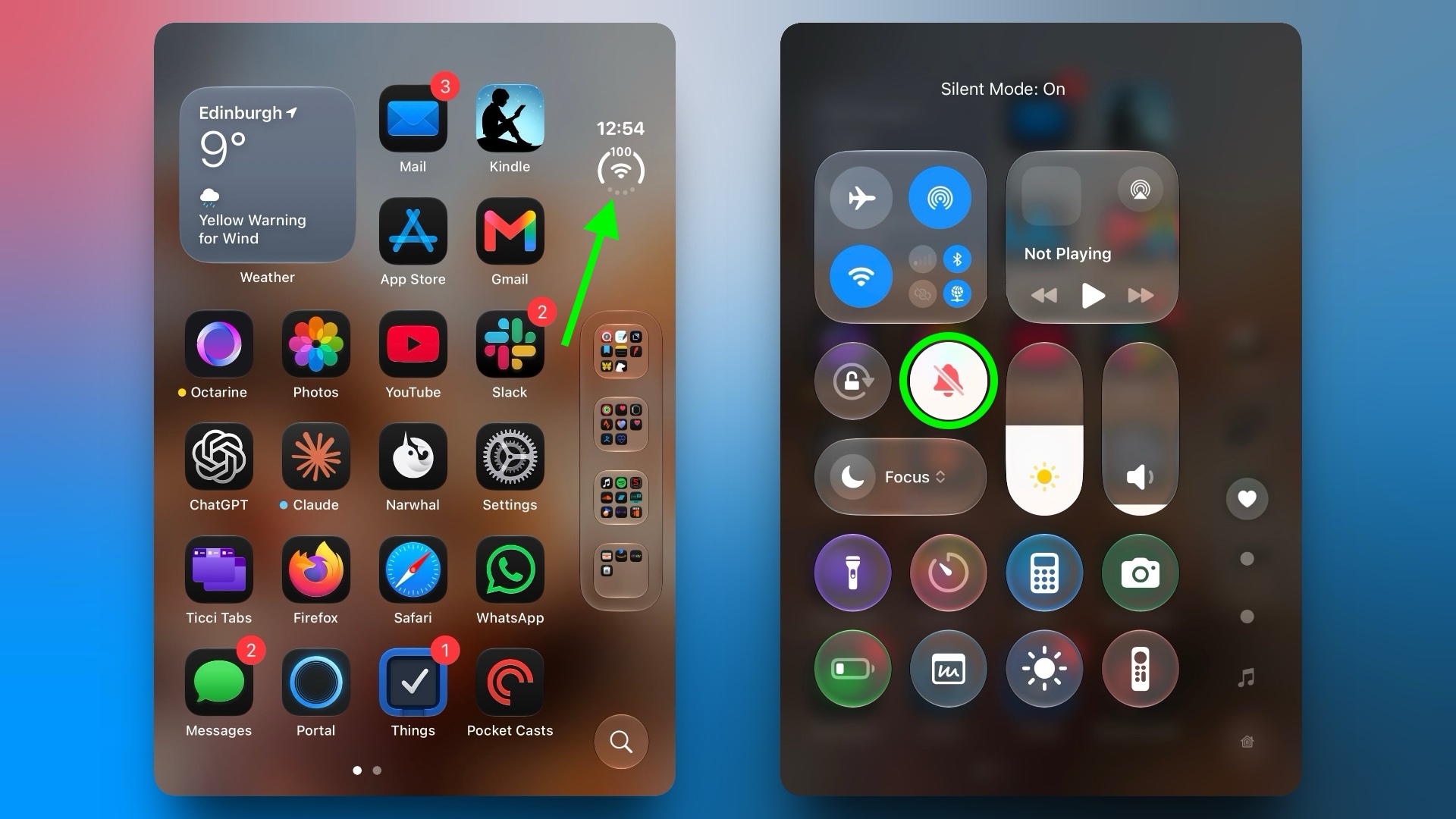
Tap the circular presumption barroom instantly beneath the timepiece – the combined Wi-Fi, cellular, and artillery indicator – alternatively of stretching for the apical country to swipe down Control Center. It sits adjacent little erstwhile a Live Activity is running, truthful it's often easier to scope one-handed. It besides makes silencing the telephone with the mute power a two-tap job.
Split the Keyboard successful Landscape
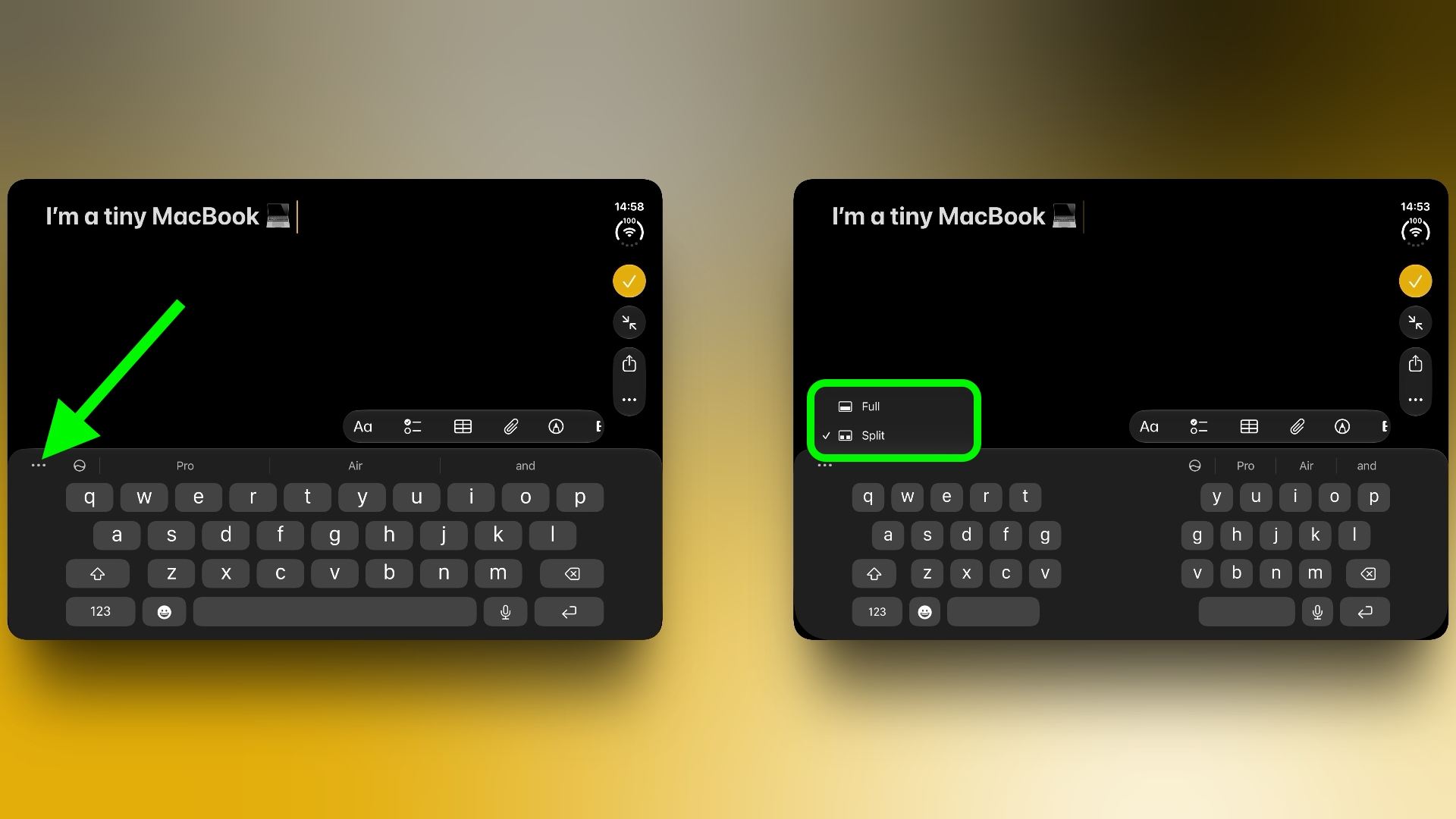
With your Duo unfolded successful scenery orientation, pat the More (...) fastener astatine the top-left of the keyboard, past pat Split for a much comfy typing experience. Don't similar it? Simply take More ➝ Full to rejoin the layout. Another extremity to retrieve is that erstwhile your Duo is closed, you tin long-press the globe oregon emoji cardinal to displacement the keyboard to 1 broadside for easier one-handed typing.
Use StandBy Without a Charger
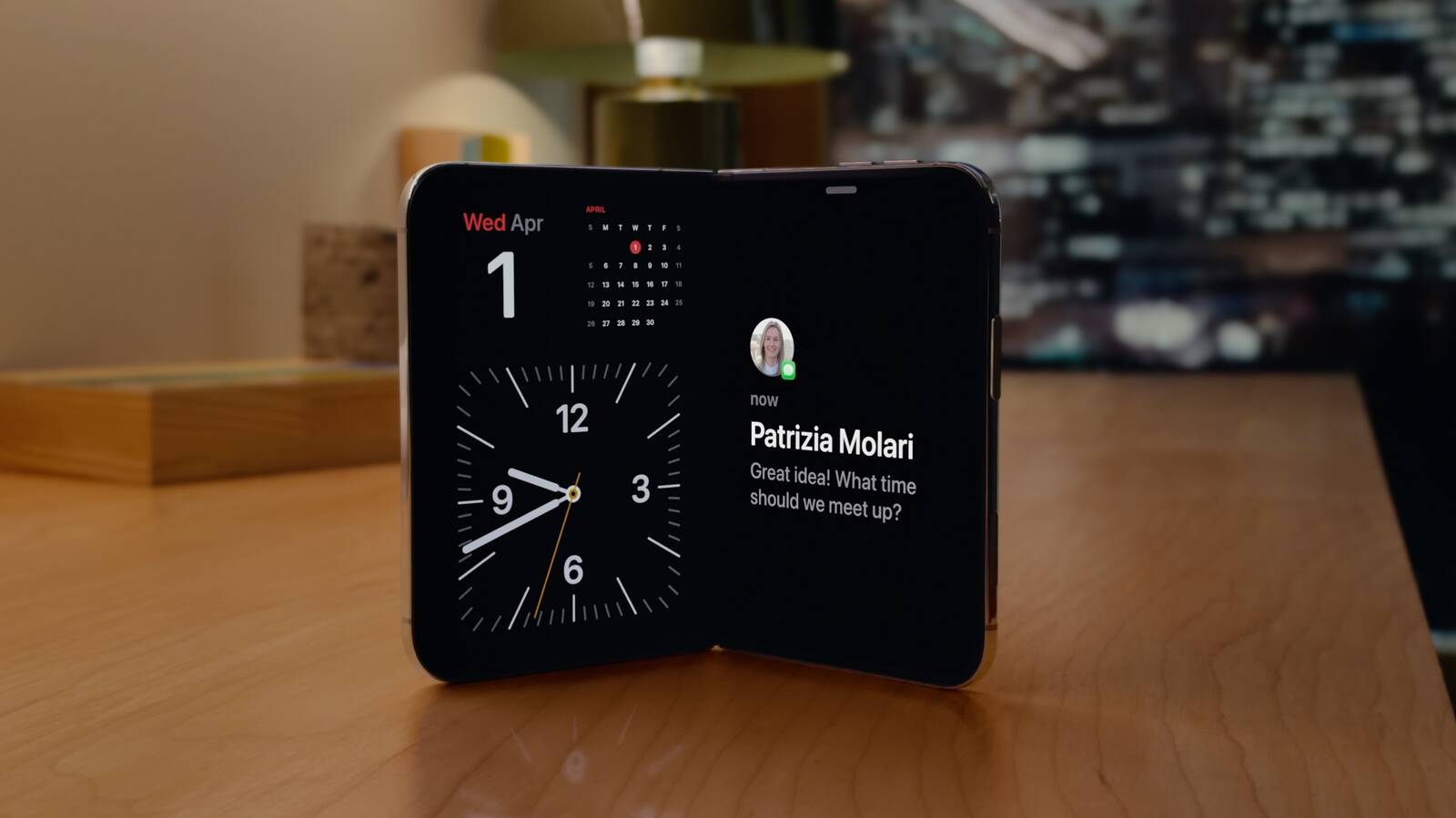
In Settings ➝ StandBy, you tin tick the folding positions that you want, and if you support Only While Charging switched off, you tin bask your StandBy modes without a charger having to beryllium plugged in. When you fastener the phone, half-fold it similar a publication oregon marque it into a structure signifier it connected a level surface, StandBy volition commencement automatically.
Turn the Hinge into an App Launcher
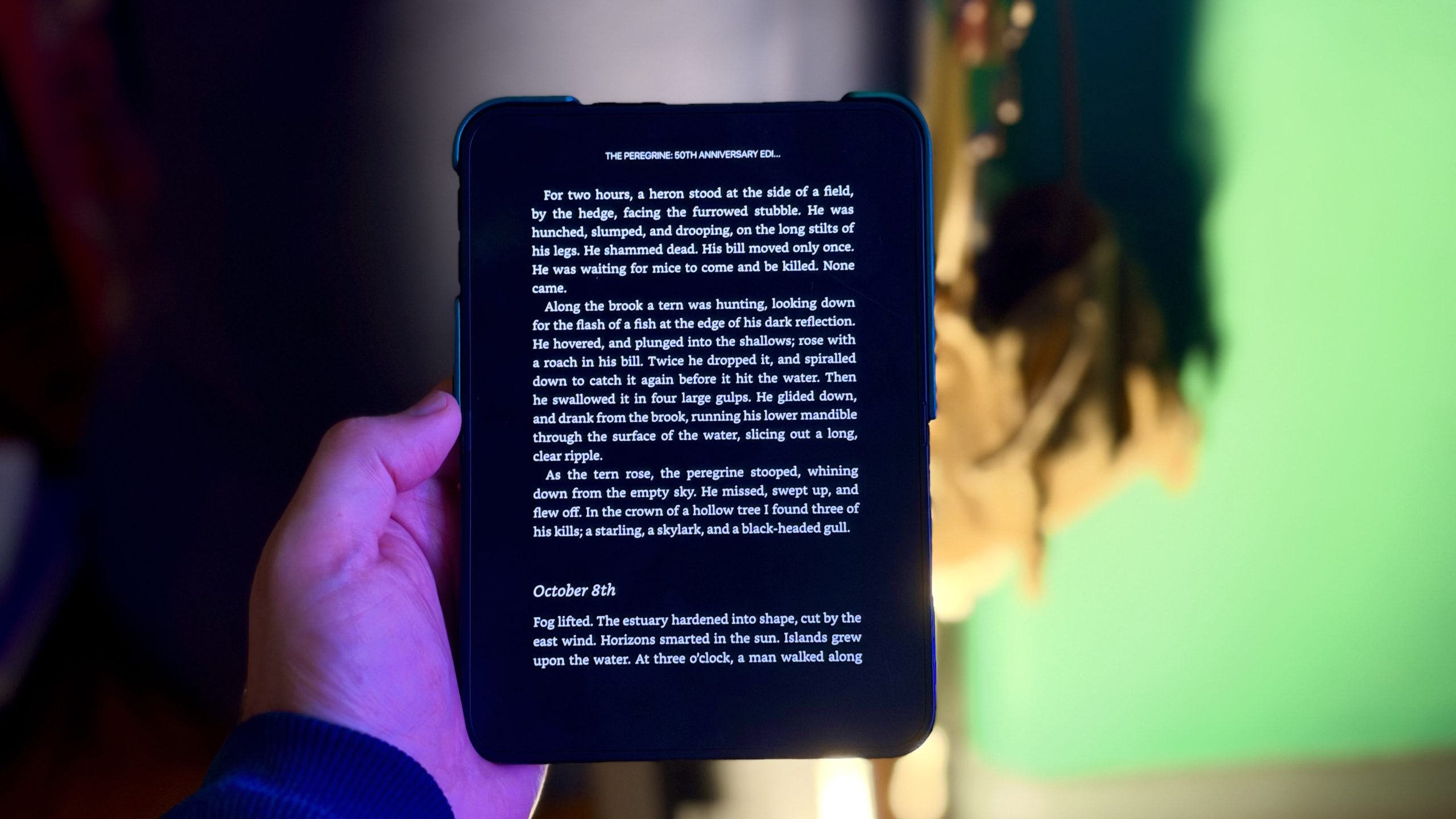
In Shortcuts, you tin make an automation with the Opened oregon Closed trigger positive the Open App action, and your chosen app volition automatically motorboat whenever you unfold the phone. For example, if you take the Kindle app, unfolding the Duo feels similar opening a book. You tin besides constrain it with conditions similar clip of time oregon Focus.
Unlock iPhone Duo With Your Face
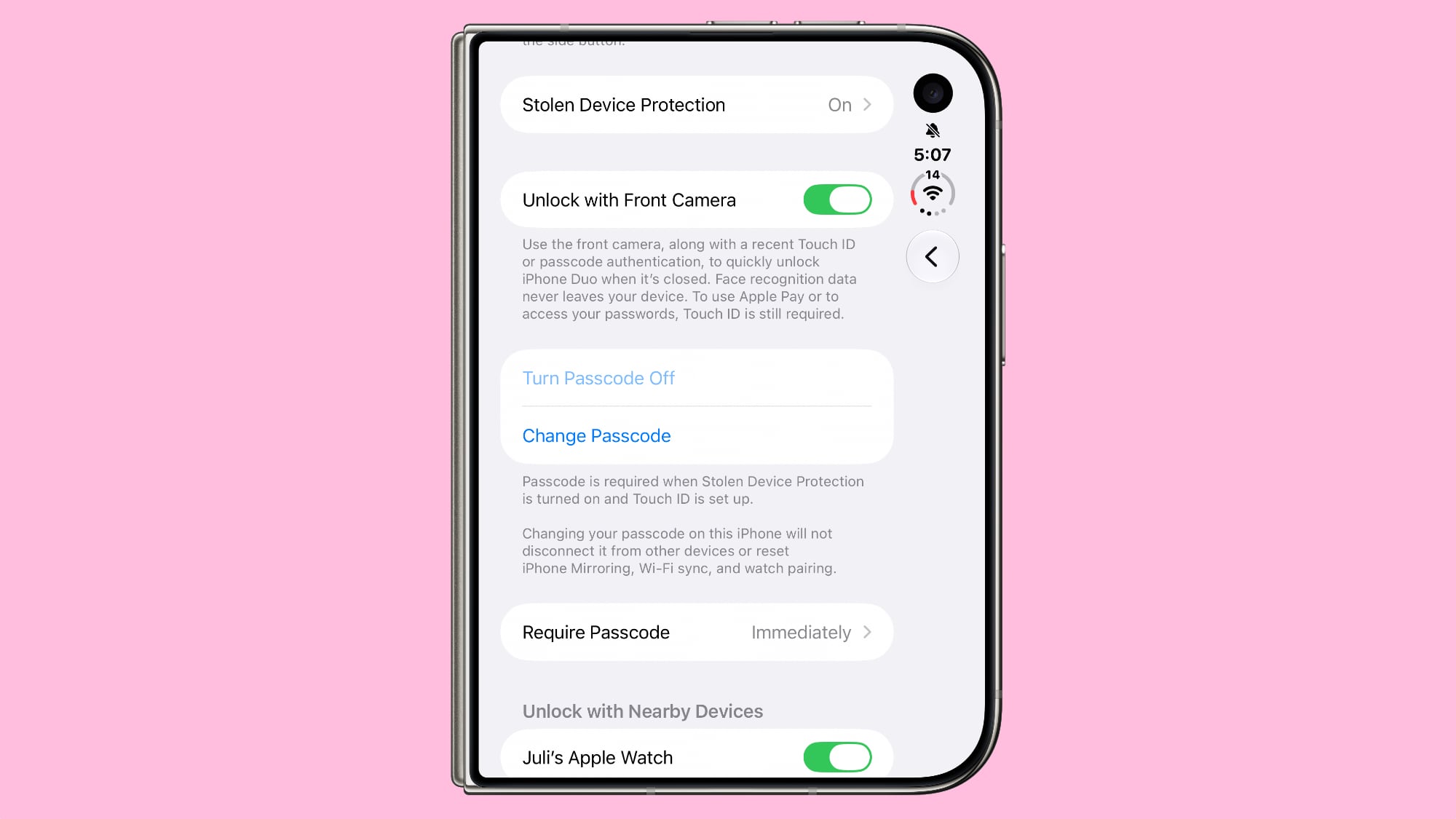
This 1 requires the iOS 27.3 beta 2, but it's a bully one. If you authenticate into Settings ➝ Touch ID & Passcode, and toggle connected the caller Face Unlock option, you tin unlock the instrumentality with the beforehand camera. It lone works astatine the Lock Screen erstwhile the Duo is closed, truthful you can't usage it for authenticating Apple Pay purchases oregon inserting logins and passwords from the Passwords app. You besides request to usage Touch ID oregon a passcode for unlocking the iPhone Duo erstwhile it's unfolded.
Skip the Swipe Up With Rest Finger to Open
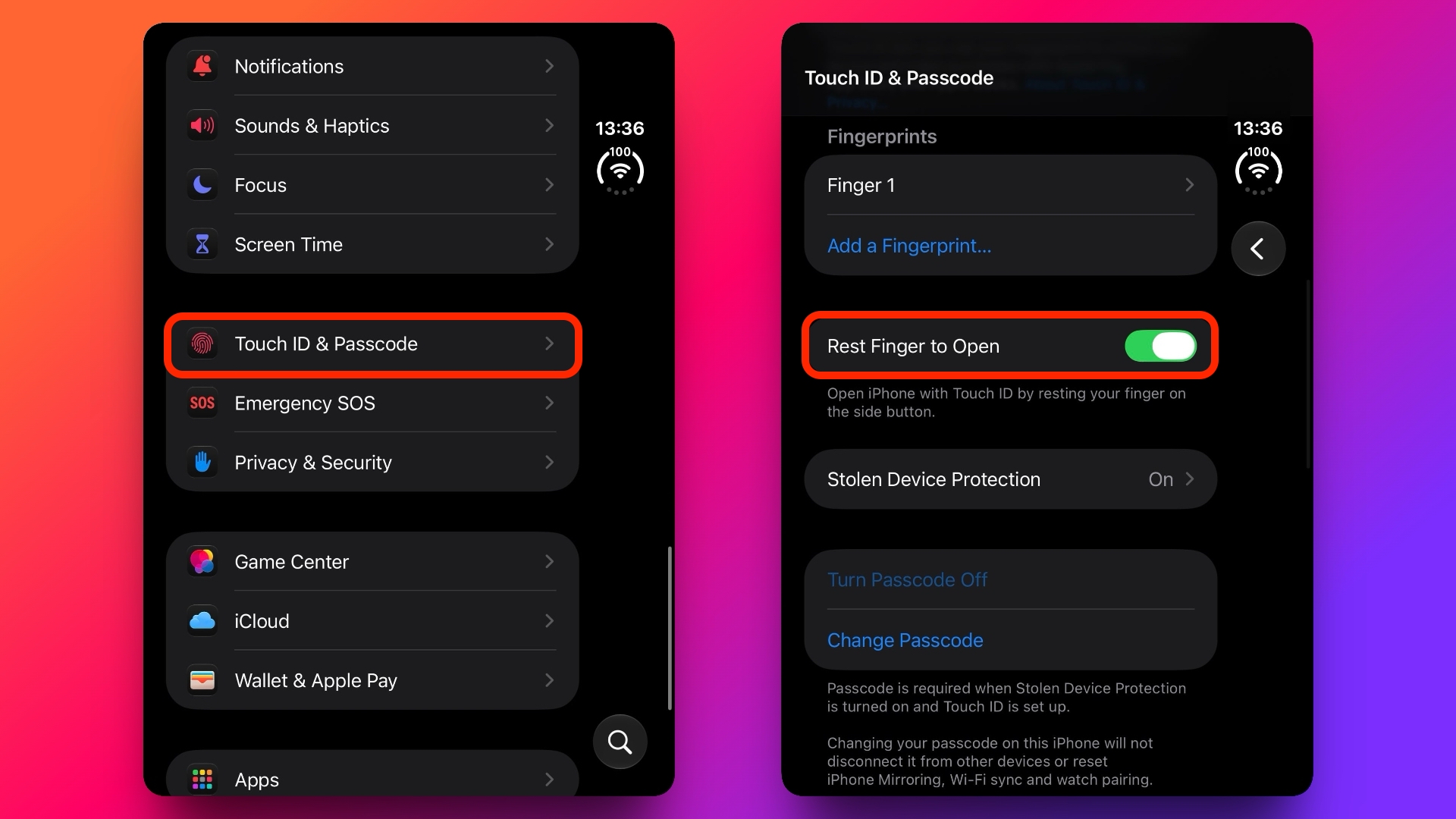
The toggle successful Settings ➝ Touch ID & Passcode (also successful Settings ➝ Accessibility ➝ Side Button) lets you unfastened the telephone consecutive past the Lock Screen, simply by resting your digit connected the broadside fastener portion the surface is awake. No much needing to swipe up to entree the Home Screen.
Take Selfies With the Rear Cameras
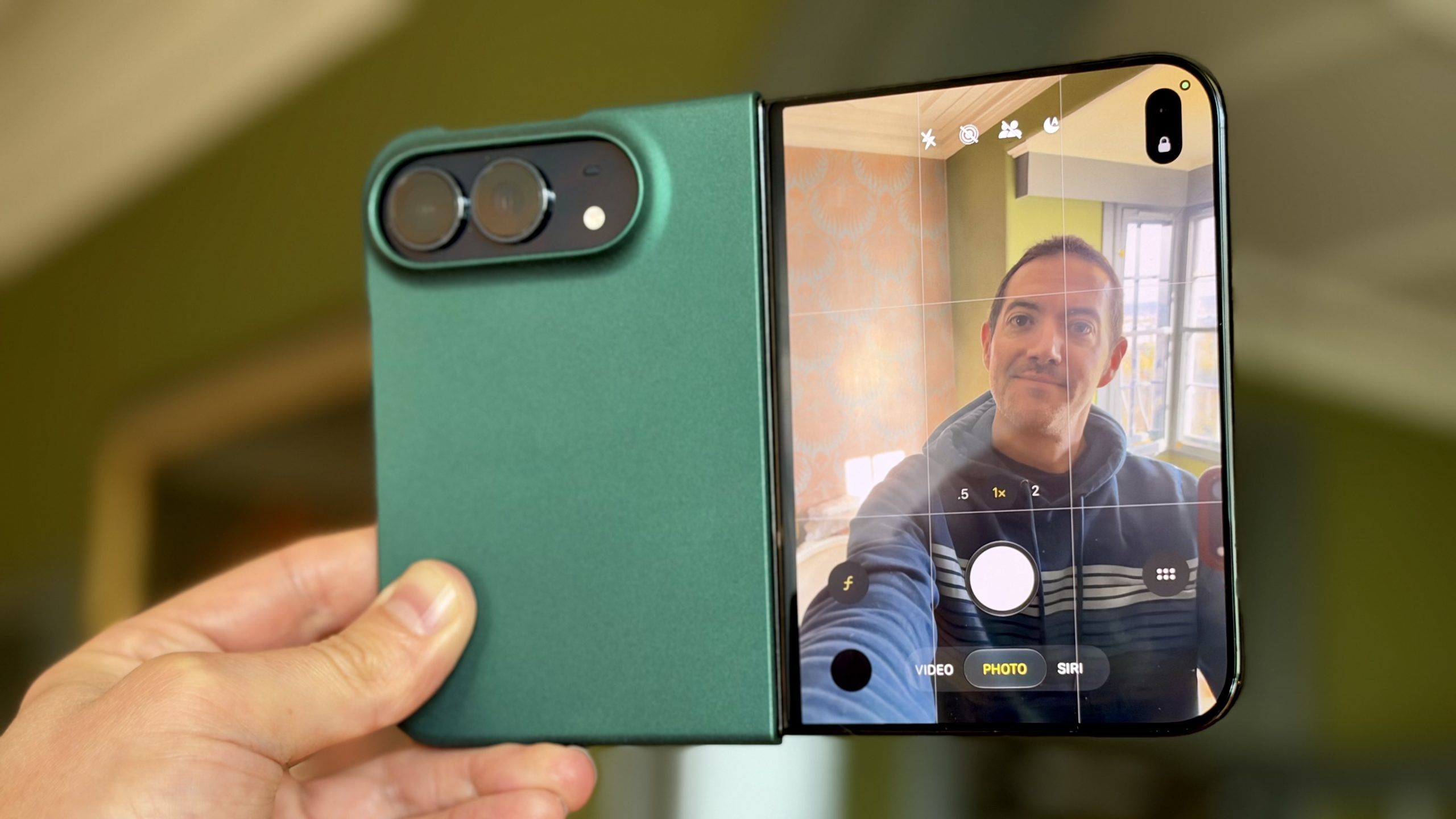
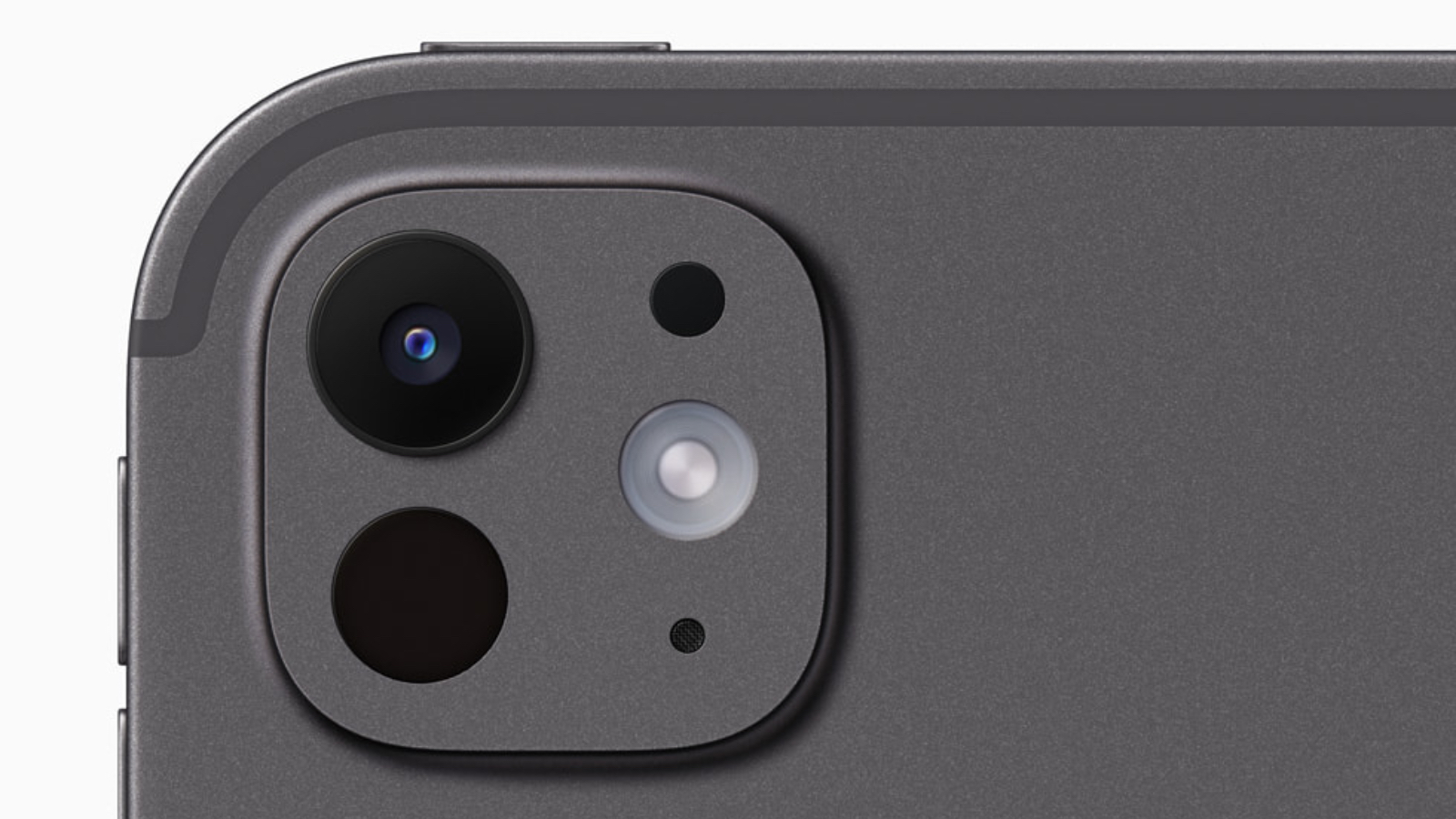
Unfold your iPhone Duo, unfastened the Camera app, past crook the telephone astir and resistance the Show Camera slider connected the outer display. You'll get the 48-megapixel rear Fusion cameras with a unrecorded preview connected the broadside facing you, positive you tin sprout with the on-screen shutter button, a measurement button, oregon Camera Control.
Let Someone Beside You Join FaceTime

Next clip you're connected a radical FaceTime telephone and idiosyncratic successful the country wants to articulation in, simply pat the screen, pat the More button, past pat Duo FaceTime. The makes the idiosyncratic adjacent to you get their ain presumption via the Center Stage beforehand camera and the under-display camera, meaning cipher has to compression into the aforesaid frame.
Lock Rotation for Each Display Independently
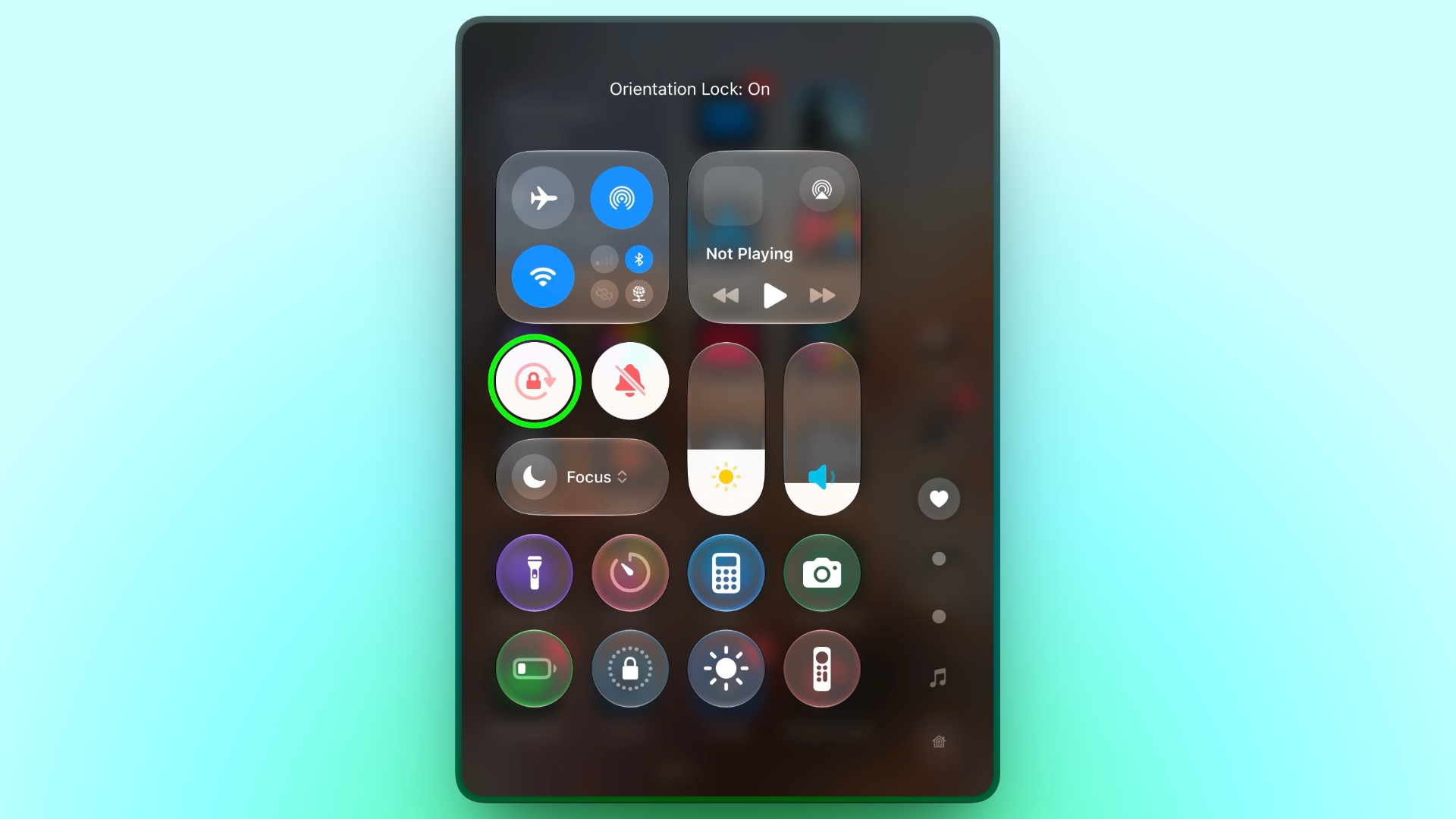
Found successful Control Center, Orientation Lock connected the iPhone Duo applies lone to the show you're utilizing erstwhile you alteration it, truthful the outer show tin enactment locked successful representation portion the interior show rotates freely. Note that videos volition inactive rotate automatically successful structure mode, careless of the lock.
Make Volume Buttons Follow Rotation
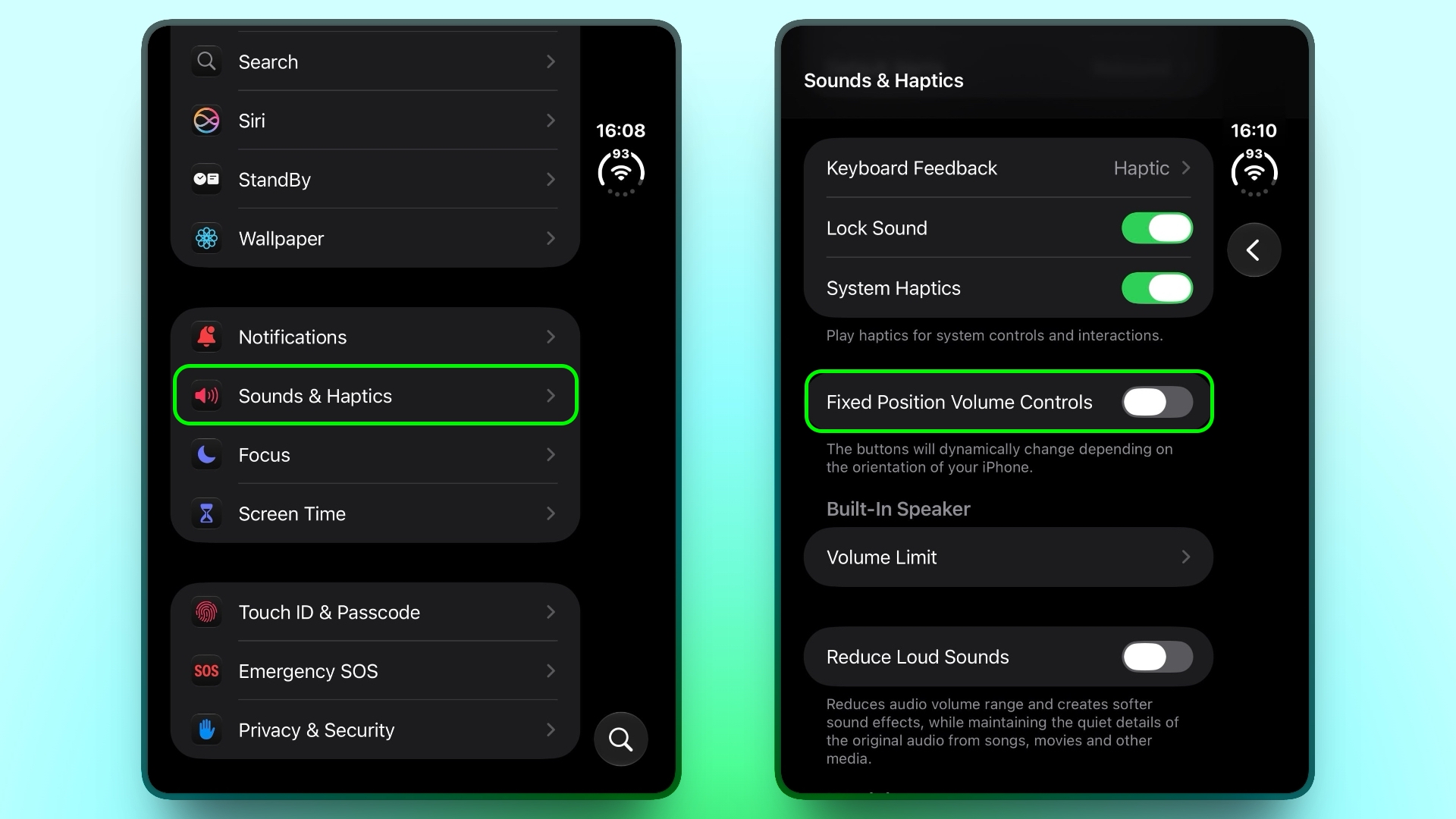
Go to Settings ➝ Sounds & Haptics, and crook disconnected Fixed Position Volume Controls. The apical oregon close fastener is past ever measurement up, whichever mode you are holding the phone. Apple's documentation suggests this dynamic behaviour is the default, but that hasn't been the lawsuit connected the aboriginal units we've tested.
Shift Left Edge for Case Wearers
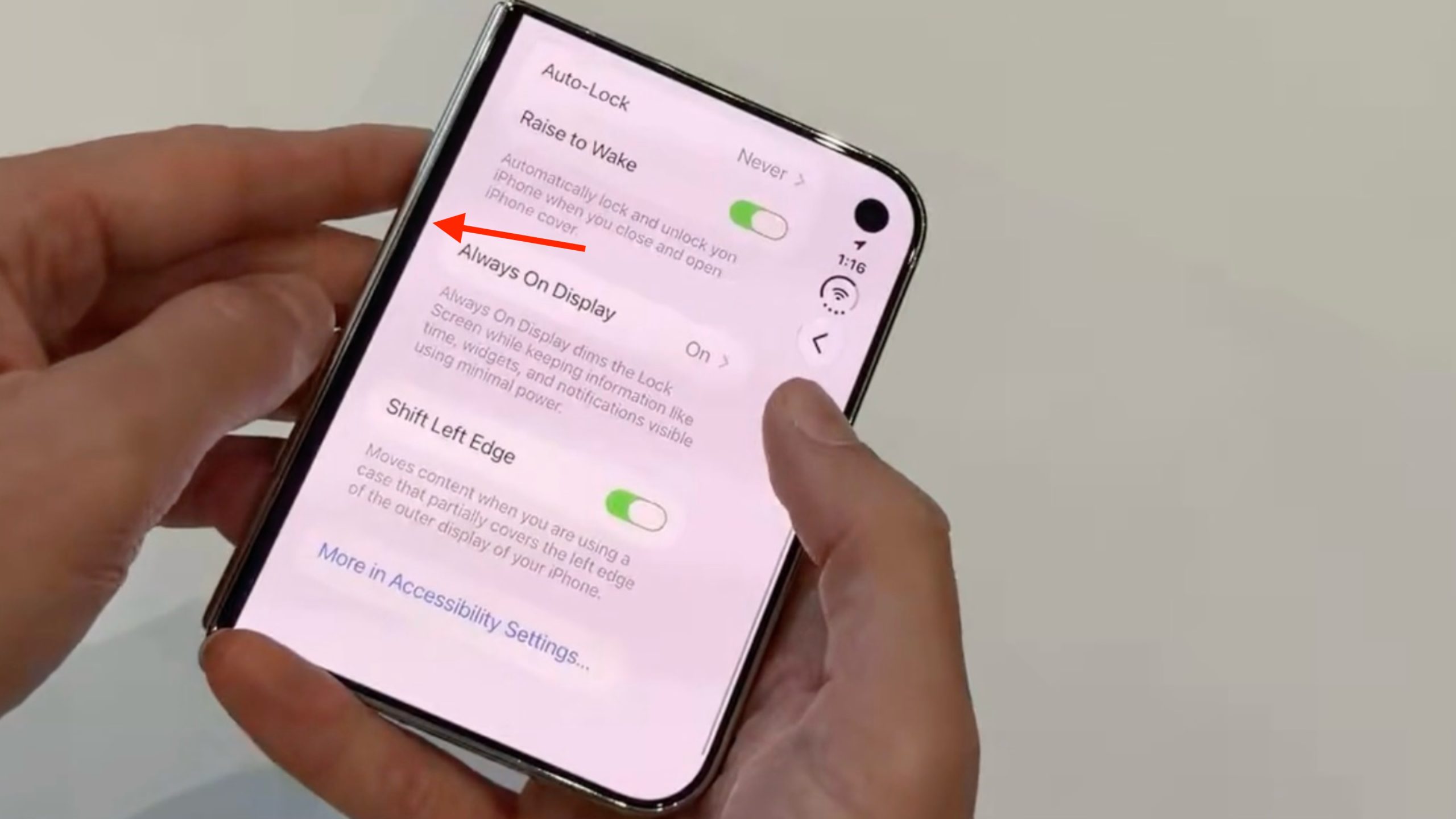
If you alteration the toggle adjacent to Settings ➝ Display & Brightness ➝ Shift Left Edge, it volition inset the outer show truthful that your lawsuit doesn't screen on-screen content. Apple's authoritative lawsuit prompts you to alteration it, but you tin besides crook it connected manually if you person a third-party case.
Unlock With Your Apple Watch
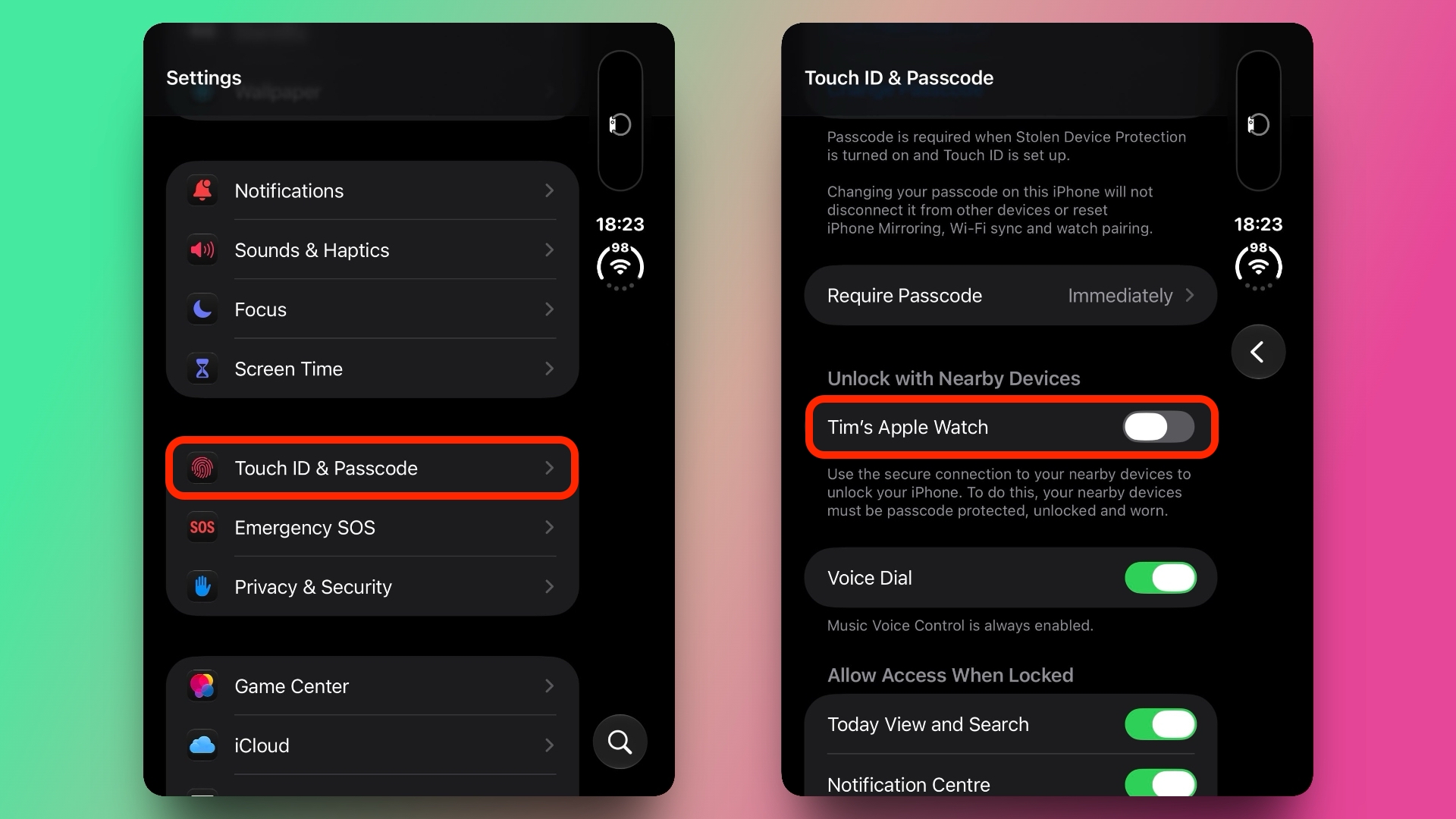
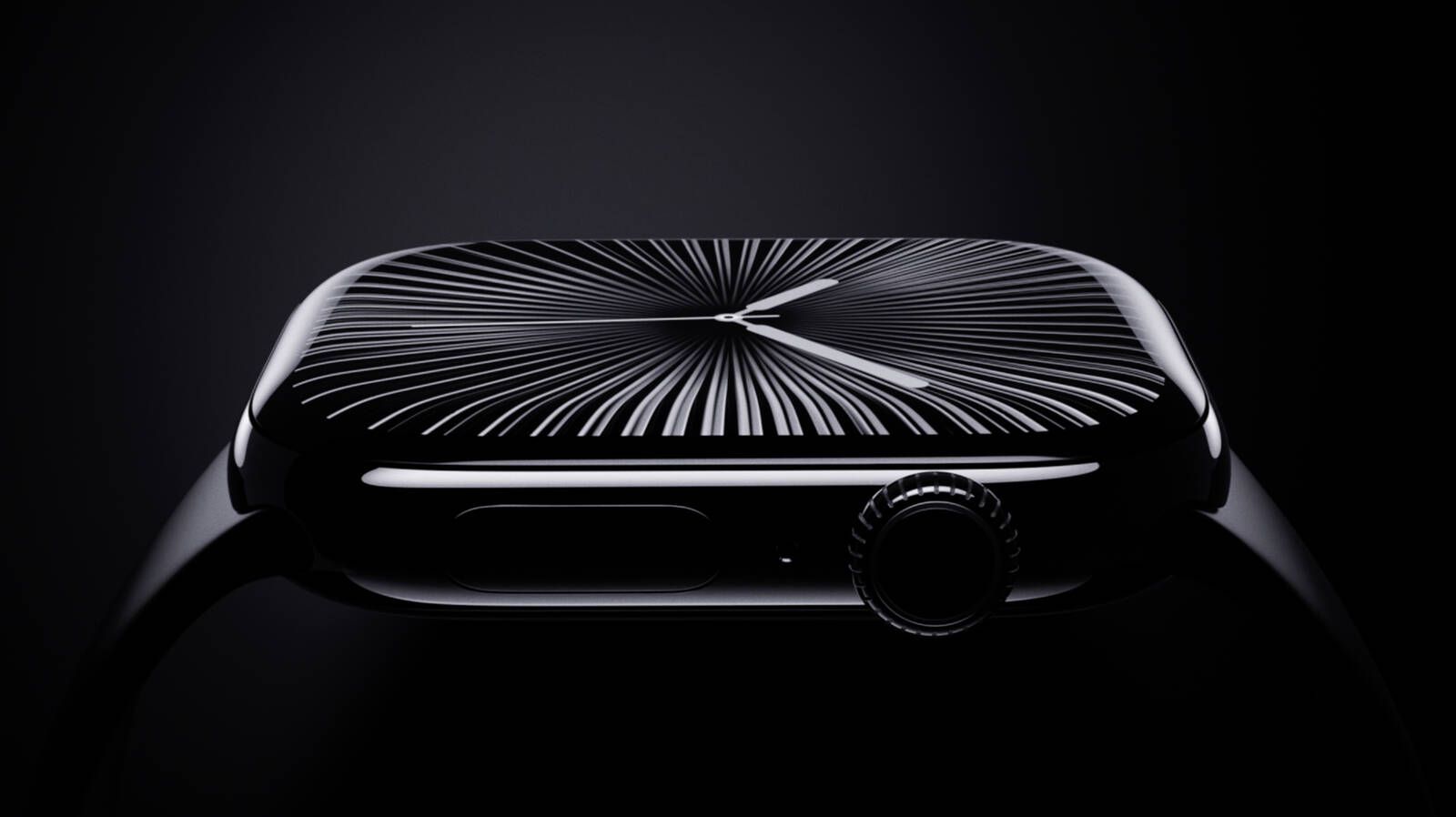
If you person an Apple Watch, this extremity is an implicit game-changer. Go to Settings ➝ Touch ID & Passcode ➝ Unlock with Nearby Devices and toggle connected your ticker model. With the ticker connected your wrist (and unlocked), aftermath the Duo and swipe up, and the ticker is your authentication – nary Touch ID required.
Let Your Subject See the Shot With Duo Preview
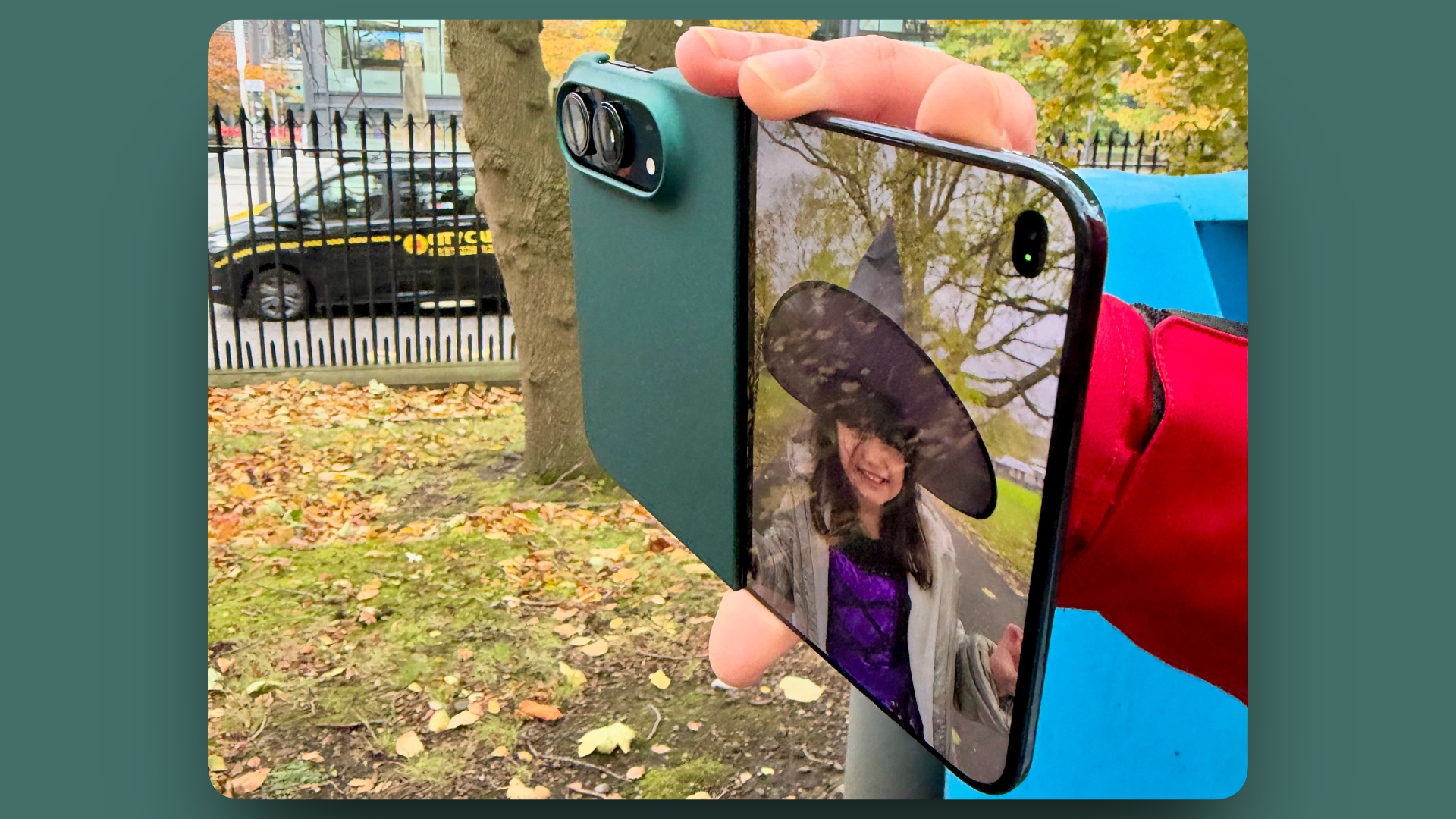
When lining up a changeable successful the Camera app, pat the Outer Display Options fastener and take Duo Preview, and your taxable volition spot a mirrored unrecorded preview connected the outer show portion you framework it up. You tin bash it for some photos and video.
Get Hands-Free Group Photos
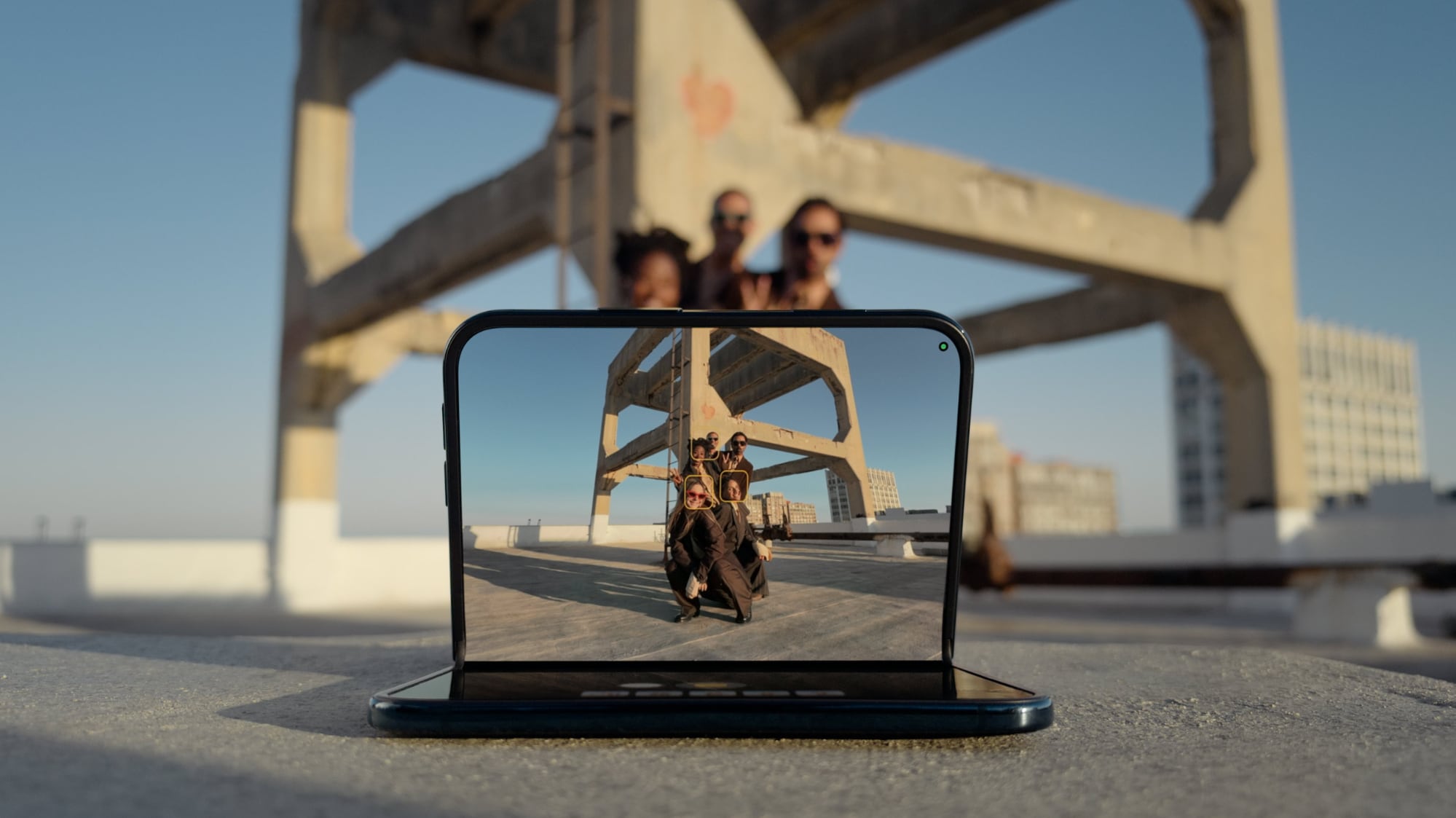
Prop your iPhone Duo determination steady, pat the Smart Take fastener successful the Camera pp, and get successful the frame. The instrumentality volition seizure automatically erstwhile you airs oregon clasp still, and tin instrumentality up to 20 photos. If you person it half-folded connected its side, 1 fractional of the surface becomes the viewfinder and the different shows the shots that person already been taken.
Get the Attention of Kids and Pets successful Photos
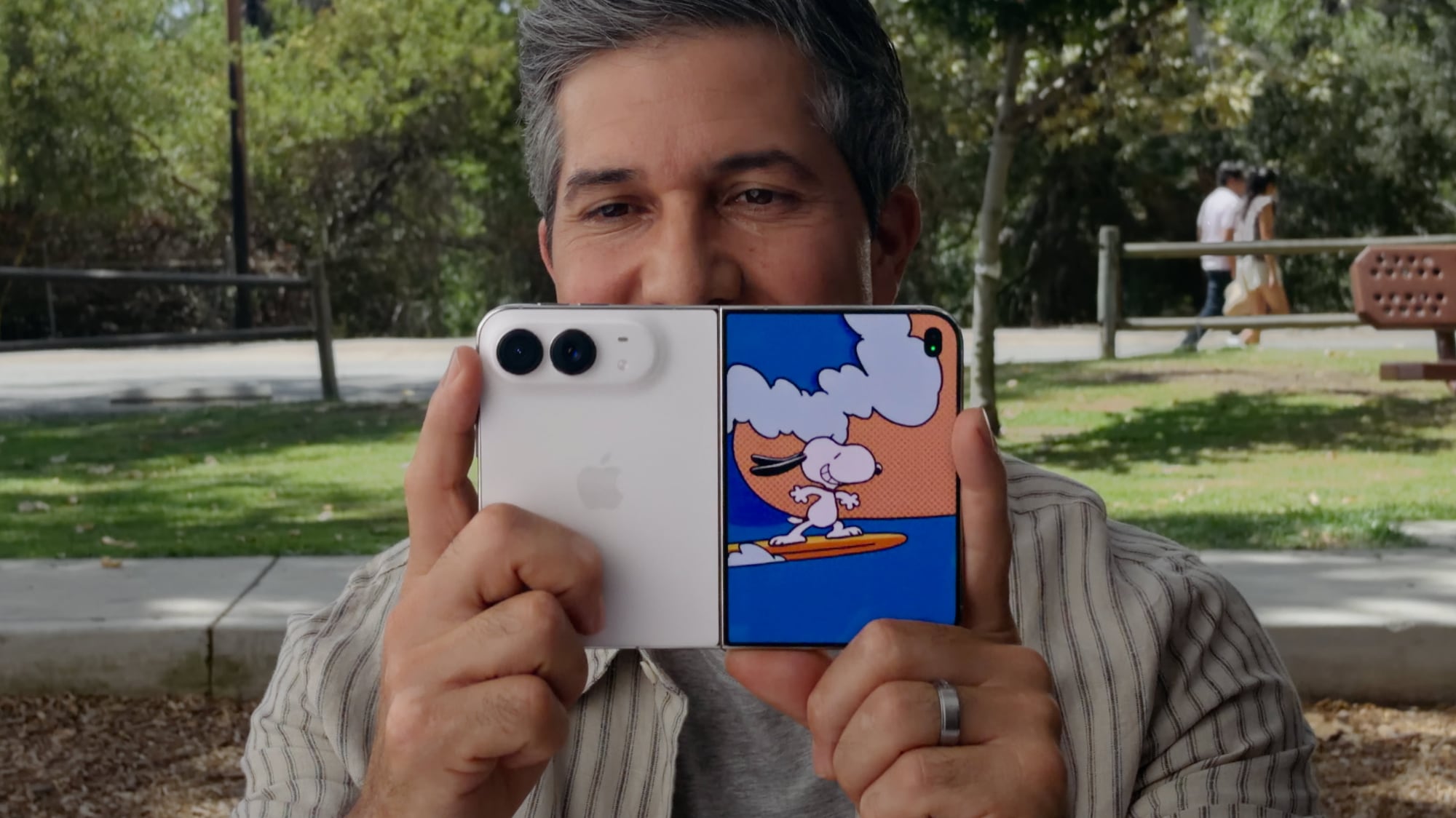
In the Camera app, Outer Display Options ➝ Kid Cue plays a Snoopy animation connected the outer show to gully your subject's regard portion you framework them connected the interior display. It's a bully mode to support them looking astatine you for the perfect shot. The lone trade-off is that they volition look similar they are looking somewhat disconnected to the side, since it uses the main camera connected the different manus of the phone.
Related Roundup: iPhone Duo
Tag: Foldable iPhone
Buyer's Guide: iPhone Duo (Buy Now)
Related Forum: iPhone
This article, "iPhone Duo: 20 Tips to Get the Most Out of Apple's Foldable" archetypal appeared connected MacRumors.com
Discuss this article successful our forums






 English (US) ·